
Stock market analyst · Finance / investment analysis
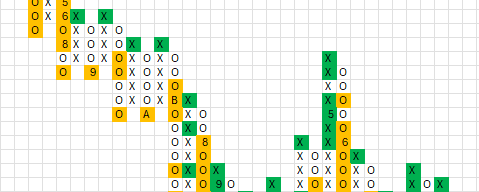
Picture a stock market analyst and his most precious tool – a proprietary method for analysing companies, refined over years. Now picture that method trapped in dozens of separate Excel files. Every price update means hours of tedious manual work: open the file, fetch the data, paste, check, close. Dozens of times over.
That was my client's reality. A brilliant analytical system drowning in inefficiency. The time that should go into analysis and decisions was leaking away into a fight with spreadsheets – with the risk of costly mistakes. My job was not to write yet another macro, but to redesign the whole process from the ground up.
Architecture: from chaos to an ecosystem. Dozens of island-files could not talk to each other. I built an integrated “master-slave” ecosystem: one master file as the command centre (managing the whole portfolio, bulk operations, key data in one place) and slave files – each company keeps its own analytical file, rebuilt and connected to the master. Instead of opening dozens of files, the client manages everything from a single panel.
Smart updates. Instead of downloading the full multi-year price history every time, each slave file first checks the last date in the sheet, connects to the source (Stooq.pl) and fetches only the missing data – from the next day up to today. Simple but brilliant: the update time for a single file dropped from minutes to seconds.
Sub AktualizujDane_Stooq()
    ' Inteligentna aktualizacja danych ze Stooq.pl
    Dim symbol As String, wsDane As Worksheet, ostatniWiersz As Long
    Dim dataOd As String, dataDo As String
    Set wsDane = ThisWorkbook.Worksheets("Dane")
    symbol = ThisWorkbook.Worksheets("Panel").Range("Symbol_Spolki").Value
    ostatniWiersz = wsDane.Cells(wsDane.Rows.Count, "A").End(xlUp).Row
    If ostatniWiersz < 2 Then ' arkusz pusty -> pobierz 10 lat
        dataOd = Format(DateAdd("yyyy", -10, Date), "yyyymmdd")
    Else ' są dane -> pobierz tylko od ostatniego dnia
        dataOd = Format(wsDane.Cells(ostatniWiersz, "A").Value + 1, "yyyymmdd")
    End If
    dataDo = Format(Date, "yyyymmdd")
    PobierzIDopiszNoweDane symbol, dataOd, dataDo, wsDane
End SubA process that used to take several hours now comes down to a few minutes and two clicks. The risk of copy-paste errors – eliminated. But the most important result is human: the client got back his most precious resource – time. He can spend it on what his work is really about: analysis and informed decisions. He stopped being a slave to his tool – now the tool works for him.
This project shows that my work is not writing one-off scripts, but designing systems that genuinely change how people work. Even in a tool as common as Excel there is the power to build advanced business applications.
As of 6 July 2026.
Some time after launch, Stooq changed the way its API authorises requests – and part of the data fetching stopped working. This is completely normal: external services change, and any app that relies on them will sooner or later need a small fix. I had to rewrite the part responsible for connecting to the source and adapt it to the new rules.
Worth keeping in mind when planning your own tool: it is not a one-off shot, but something that lives alongside the world around it. That is exactly what maintenance is for – so that a change like this is a matter of a quick fix, not a return to manual work.
The challenge The app had grown alongside the business for a year and a half. It started as a clever Google Sheet with a few scripts…

The challenge How do you present data about dog homelessness so that people actually want to read it? That was my challenge. In March…
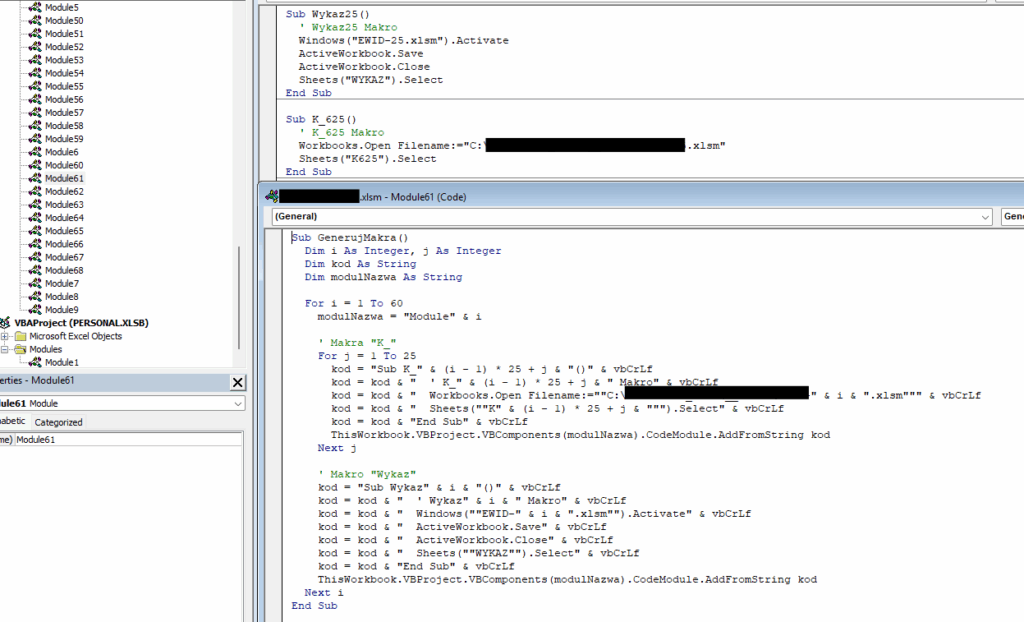
The challenge Everyone in IT knows systems like this. They have worked for years, they are critical to the company, and inside they…
Just tell me what you need - it does not have to be technical, that is my job. I will get back to you and tell you straight whether and how I can help.