
Large B2B client · B2B / marketing automation
A large B2B client had many different forms on the site – some for contact, others for webinars, still others for VIP events. Every time marketing wanted to add a new field or change a label, they called a developer. Every time meant an hour of work – writing code, testing, deploying. Every time a cost.
On top of that, all these forms had to reach one marketing automation system that handles the client’s entire sales pipeline. That system holds firmly to its standards: specific endpoint, specific field names, specific format.
The task was simple to state, hard to do well: build one universal form block in WordPress where marketing configures fields through the admin interface, without touching code. And the data always reaches the marketing automation system correctly.
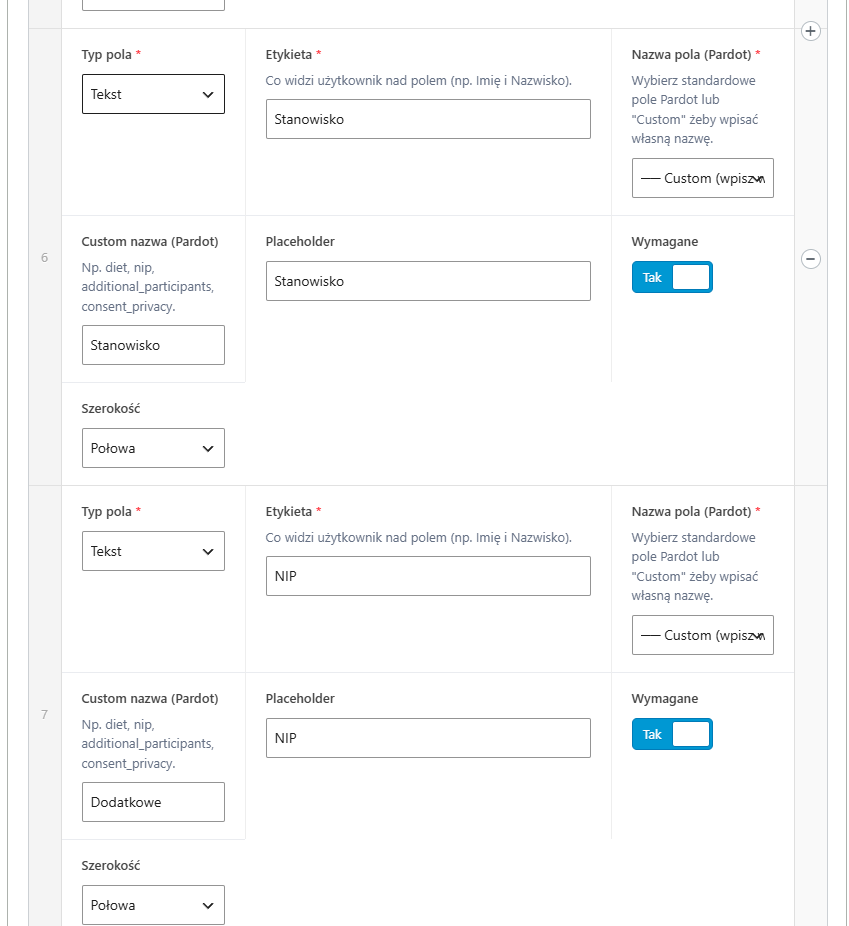
I approached this as an ACF block in Gutenberg. The block has a configurable “Form fields” repeater – marketing adds a field, picks the type (text, email, phone, select, textarea), sets the label, decides if it’s required. For select fields they enter options line by line. Plus separate config sections: user consents (repeater with GDPR text), the marketing automation endpoint URL, optional hidden fields passed to the system (e.g. campaign ID), messages (success, error, validation).
The frontend form generates dynamically from this config. Marketing added a field – the field appears on the page. Changed a label – the label changes. Zero developer involvement.
The biggest technical problem was sending data to the marketing automation system. That endpoint is on a different domain than the client’s site, and CORS blocks direct POST from JavaScript. You can bypass this via a WordPress-side proxy, but then you lose browser context (marketing tracking cookies) – which breaks lead attribution to campaigns.
Solution: hidden iframe. The script creates in the background an invisible HTML form with an action pointing to the marketing automation endpoint and its submit target set to a hidden iframe. We call submit, the browser executes a native POST (as if it were a normal form), CORS has nothing to say here because it’s not a fetch but a form submit. The response lands in the iframe and we don’t read it – but we don’t have to, because the marketing automation system has its own logic on its side anyway.
function submitToMarketingAutomation(form, endpointUrl, onDone) {
    var iframeName = 'cf-iframe-' + Date.now();
    var iframe = document.createElement('iframe');
    iframe.name = iframeName;
    iframe.style.display = 'none';
    document.body.appendChild(iframe);

    var tempForm = document.createElement('form');
    tempForm.method = 'POST';
    tempForm.action = endpointUrl;
    tempForm.target = iframeName;
    tempForm.style.display = 'none';

    // ... gather fields from the original form and add to tempForm

    document.body.appendChild(tempForm);
    tempForm.submit();

    setTimeout(function () {
        onDone();
        if (tempForm.parentNode) tempForm.parentNode.removeChild(tempForm);
        if (iframe.parentNode) iframe.parentNode.removeChild(iframe);
    }, 2000);
}The client’s marketing automation system has a limitation: there’s one “Comments” field for all extra information. Marketing wanted three separate fields visible to the user – diet, tax ID, extra participant – but in the system they must land as one text string.
I solved it through a convention: in the ACF config, marketing enters the same marketing automation name (“Comments”) for all three fields, and JavaScript before submit collects them into a map, joins into a string with labels separated by a pipe:
var fieldMap = {};
var fields = form.querySelectorAll('input, select, textarea');

fields.forEach(function (field) {
    if (!field.name || !field.value) return;

    var name = field.name;
    var label = getLabelForField(field);

    if (!fieldMap[name]) fieldMap[name] = [];
    fieldMap[name].push({ label: label, value: field.value });
});

// Build hidden inputs
Object.keys(fieldMap).forEach(function (name) {
    var entries = fieldMap[name];
    var input = document.createElement('input');
    input.type = 'hidden';
    input.name = name;

    if (entries.length === 1) {
        input.value = entries[0].value;
    } else {
        // Multiple fields with the same name - join into one string
        // Format: "Diet: Vegetarian | Tax ID: 1234 | Extra: Anna"
        var parts = entries.map(function (e) {
            return e.label + ': ' + e.value;
        });
        input.value = parts.join(' | ');
    }
    tempForm.appendChild(input);
});The temptation to use the iframe.onload event to detect the moment the marketing automation system received the response is high, but in practice it won’t work. Because the endpoint runs on a different domain than WordPress, Same-Origin Policy kicks in. The browser fires the onload event on the iframe immediately when it’s created (for the empty about:blank document), or blocks the event entirely after a cross-origin POST. There’s no stable way to “listen for” the moment when the external server finished processing the submit.
A controlled time delay (setTimeout) is the most reliable production compromise in this scenario. The alternative – a WordPress backend proxy – would work, but at the cost of an extra infrastructure layer and losing the marketing automation tracking cookie context.
Not everything was worth automating. I consciously decided not to build my own layer for validating the marketing automation response. A cross-origin iframe doesn’t let us read the response anyway (CORS blocks it), so the alternative would be a backend proxy – and that’s a complication we didn’t need. Instead, the form always shows “Thank you” 2 seconds after submit (analogous to the client’s other forms which have long worked the same way).
Consequence: if the marketing automation system rejects the submit (e.g. invalid email format), the user still sees “Thank you”. In practice it doesn’t happen – the frontend validates required fields before submit, and the marketing system gets only valid data. Acceptable risk in exchange for no additional infrastructure layer.
Marketing adds new forms without a developer. Just drop the “Custom Form” block on a page, configure fields, enter the marketing automation endpoint – done. Change a label in the “Company name” field? 30 seconds in wp-admin, no commit, no deploy.
Data reaches one marketing automation system in a unified format. User consents are configurable (GDPR requires flexibility in wording consents for different channels). Webinar form, contact form, event form – all through the same block, all reaching where they should.
From the developer side – one block to maintain, one JS to debug. Instead of five different implementations for five different forms – one reusable component.
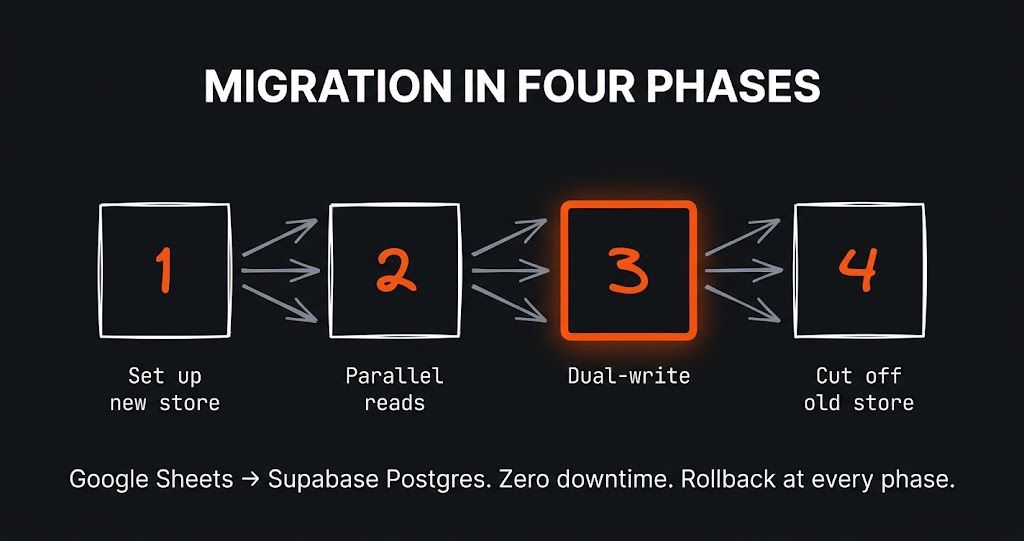
The challenge The app had grown alongside the business for a year and a half. It started as a clever Google Sheet with a few scripts…
The challenge The first version of this site was born out of courage. I wrote about it separately – about the perfectionism that…
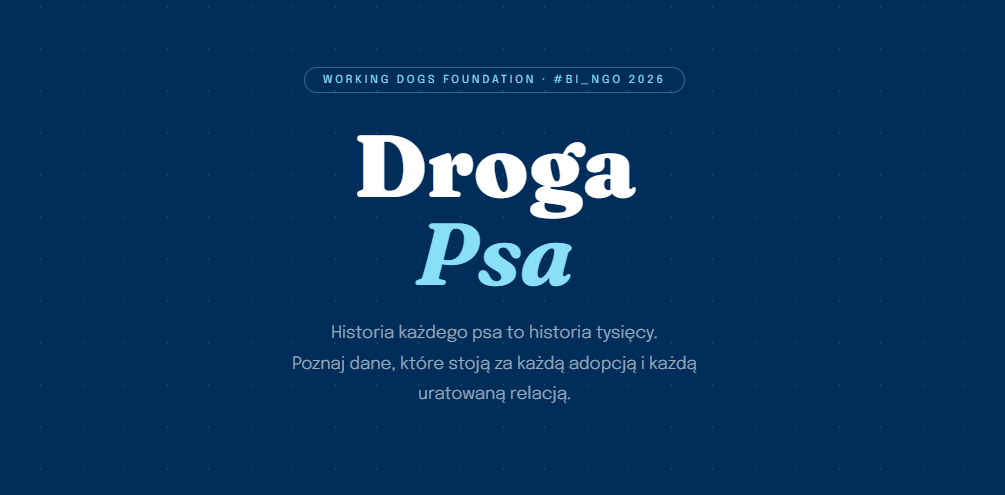
The challenge How do you present data about dog homelessness so that people actually want to read it? That was my challenge. In March…
Just tell me what you need - it does not have to be technical, that is my job. I will get back to you and tell you straight whether and how I can help.