Giving an Analyst Their Time Back: How I Re-engineered a Portfolio Update Process in Excel
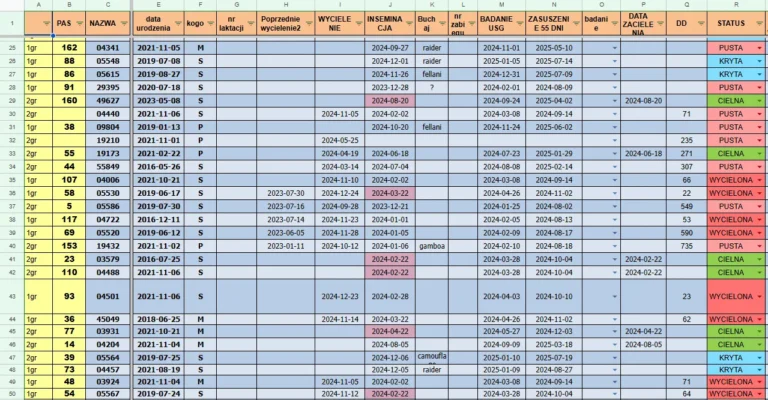
Imagine a stock market analyst and their most valuable tool—a proprietary method for analyzing companies, refined over years. Now, imagine that this method is trapped in dozens of separate Excel files. Every update to the market data is hours of tedious, manual work: open a file, download data, paste, check, close. And repeat dozens of times.
This was my client’s reality. His brilliant analytical system was drowning in a sea of inefficiency. The time he should have been spending on analysis and making decisions was wasted battling spreadsheets. It was work prone to costly mistakes and a source of immense frustration. My task wasn’t just to write another macro. My task was to re-engineer the entire process from the ground up.
The Architecture: From Chaos to an Integrated Ecosystem
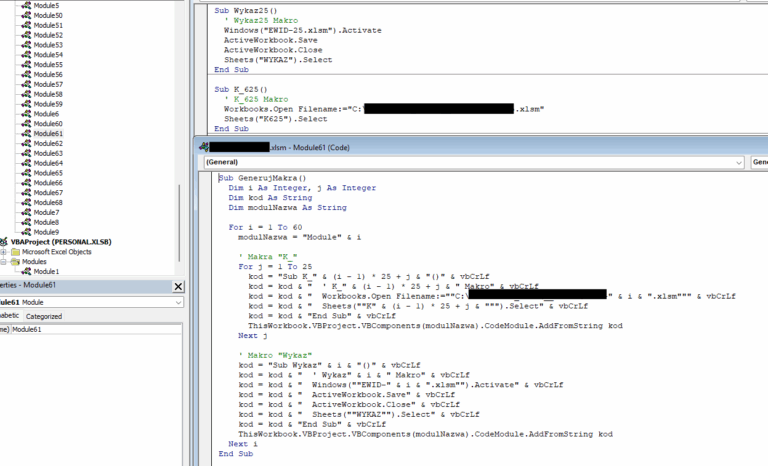
The problem was systemic. Dozens of file-islands couldn’t communicate with each other. The solution was to create an integrated ecosystem with a “master-slave” architecture.
The “Mother” File (Master): I designed a central “command center.” This is one main file that manages the entire portfolio, allows for bulk operations, and gathers key data in one place.
The “Daughter” Files (Slaves): Each company still has its dedicated analytical file, but it has been rebuilt and connected to the “mother file.”
Now, instead of opening dozens of files, the client manages everything from a single dashboard.
The Smart Update: Don't Download Everything, Download Smart
Simply connecting the files wasn’t enough. The key to speed was optimizing data retrieval. Instead of downloading the full, multi-year history of stock prices every time, I implemented an intelligent function in each “daughter file.”
The macro first checks the last date of the quotes in the sheet. Then, it connects to the data source (Stooq.pl) and downloads only the data that is missing—from the next day until today. It’s a simple but brilliant solution that reduced the update time for a single file from minutes to seconds.
The following VBA code snippet is the heart of this intelligent function, which decides whether it needs the full history or just a few days’ worth of updates.
Sub UpdateData_Stooq()
    ' Macro for intelligent data updates from Stooq.pl
    Dim symbol As String, wsData As Worksheet, lastRow As Long
    Dim dateFrom As String, dateTo As String

    Set wsData = ThisWorkbook.Worksheets("Data")
    symbol = ThisWorkbook.Worksheets("Panel").Range("Company_Symbol").Value

    ' Check if it's the first download or an update
    lastRow = wsData.Cells(wsData.Rows.Count, "A").End(xlUp).Row

    If lastRow < 2 Then ' If the sheet is empty, download 10 years of data
        dateFrom = Format(DateAdd("yyyy", -10, Date), "yyyymmdd")
    Else ' If there is data, download only from the last day
        dateFrom = Format(wsData.Cells(lastRow, "A").Value + 1, "yyyymmdd")
    End If
    dateTo = Format(Date, "yyyymmdd")

    ' Call a function that will download and append only the new data
    DownloadAndAppendNewData symbol, dateFrom, dateTo, wsData
End Sub
The Result: Hours Turned into Minutes
The result of this transformation was immediate and measurable. A process that previously could take up to several hours of tedious work is now down to just a few minutes and two clicks. The risk of errors from copying data has been eliminated.
But the most important effect is human. The client got back his most valuable asset—time. He can now devote it entirely to what is the essence of his work: in-depth analysis and making informed investment decisions. He stopped being a slave to his tool; now, the tool works for him.
This project proves that my approach isn’t just about writing scripts, but designing entire systems that genuinely transform my clients’ work. I look at scattered chaos and arrange it into a logical, automated, and reliable structure. Because even a common tool like Excel holds the power to create advanced, custom business applications.
Are you struggling with multiple Excel files and wasting time on manual updates? Would you like to combine them into one coherent and automated system?
Contact me, and together we will transform your analytical chaos into an orderly and effective work tool.